AT A GLANCE
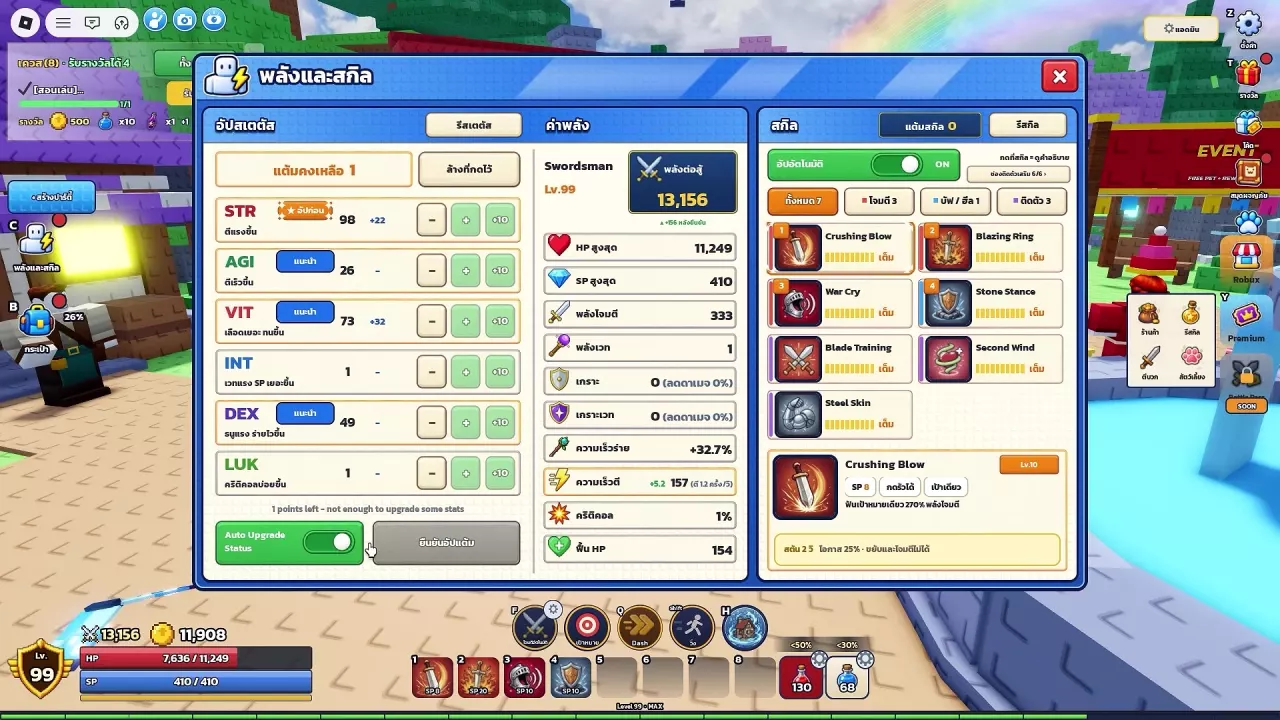
Open the stats and skills panel through the left-side C entry. Adjust your allocation with the minus, plus, and +10 buttons, then confirm to apply it. Auto Upgrade Status enables automatic stat allocation. The stat section also has a reset entry; owners of the Free Reset pass with the village Stat Master benefit can reset stats there for free at any time. That pass is not currently for sale.
What Each Stat Does
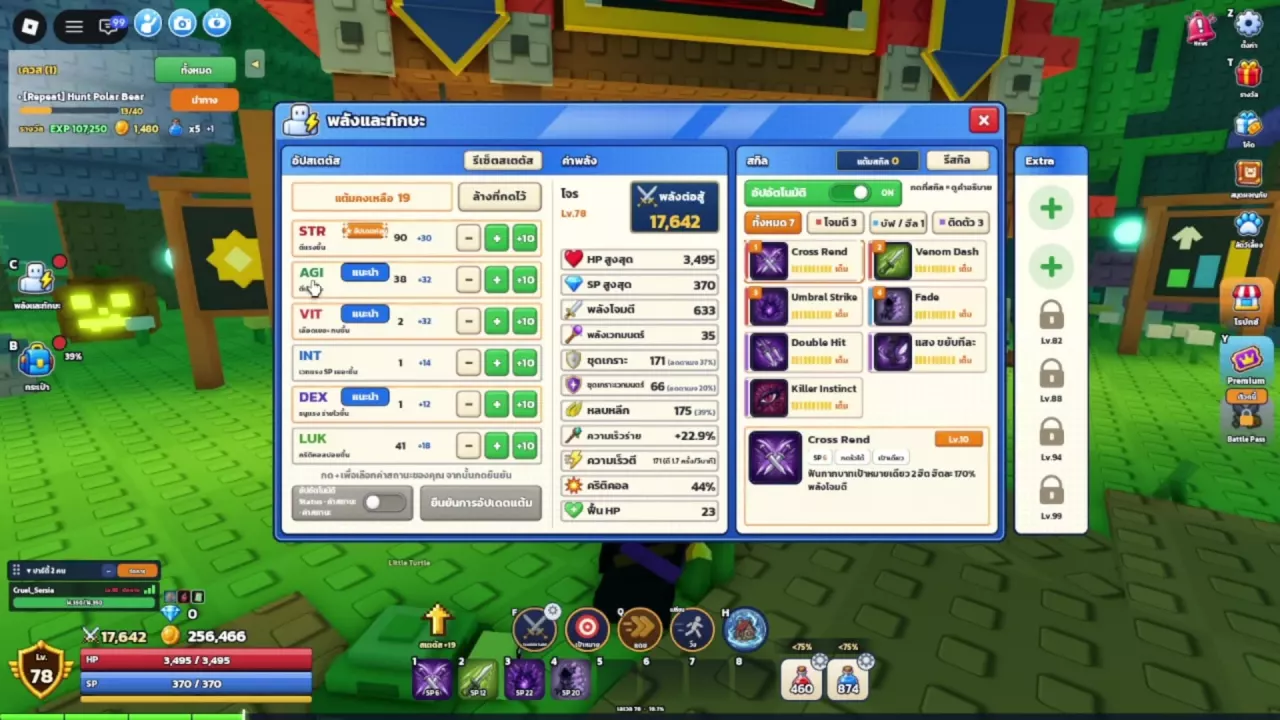
| Stat | Effect |
|---|---|
| STR | Increases attack strength. |
| AGI | Increases attack speed. |
| VIT | Increases health and durability. |
| INT | Improves magic and SP. |
| DEX | Improves bow damage and casting speed. |
| LUK | Increases critical-hit chance. |
In the early development version, DEX was also described as improving accuracy.
Choose stats for the result you need: AGI supports faster attacks, while DEX supports faster casting; VIT helps you survive, while LUK increases your chance of landing critical hits. For priorities tailored to your weapon and role, use the stat and skill builds for all six classes.
Allocate Points and Confirm
You need unspent stat points to make a manual allocation.
- Open the stats and skills panel through the left-side C entry.
- Find STR, AGI, VIT, INT, DEX, and LUK in the stat section.
- Use the minus, plus, and +10 controls to adjust your proposed allocation.
- Review your changes, then press the confirmation button beneath the stat rows to apply them.
The row controls prepare your allocation; confirmation commits it. Use the minus button to revise a proposed increase before confirming, and use the reset entry for changes to points already assigned.
After applying your points, use the Training Dummy guide to compare your setup's combat performance.
Automatic Allocation and Reset Options
Enable automatic stat allocation
Turn on Auto Upgrade Status at the bottom of the stat section to enable automatic allocation. This is a convenient option if you prefer automatic point assignment; use manual allocation when you want to choose the individual stats yourself.
The skill section has its own automatic-upgrade toggle. Control it separately through the skill upgrade controls.
Find the stat-reset entry
Open the panel through C and look for the reset control at the top of the stat section.
If you own the Free Reset pass whose benefit specifies the village Stat Master, visit that NPC to reset your stats for free at any time. This pass is not currently for sale. See the game pass listings and benefits to distinguish the separate products named Free Reset.