AT A GLANCE
Open Adventure Book → Titles to filter by All, Owned, or Unowned, inspect requirements, and equip an unlocked title. Use the unequip button to remove your equipped title, or turn off title visibility to hide it from other players. Beta Tester requires Lv.99 during Beta; Companion requires 10 small-boss or boss defeats in a party; Pioneer rewards opening-period participation with HP +50. Premium requires permanent Premium, while Supporter comes from the Supporter Title Game Pass.
Title Requirements
For Companion, form a party before working toward the required boss defeats. Use the party guide for creating a team and inviting friends.
Beta Tester is earned during Beta and retained at launch. Its title requirement directs you to the Event NPC at Lv.99. Beta level-reward claims also require liking the game and following the RonB Games group. See Beta reward claiming and launch carryover for the reward-menu instructions.
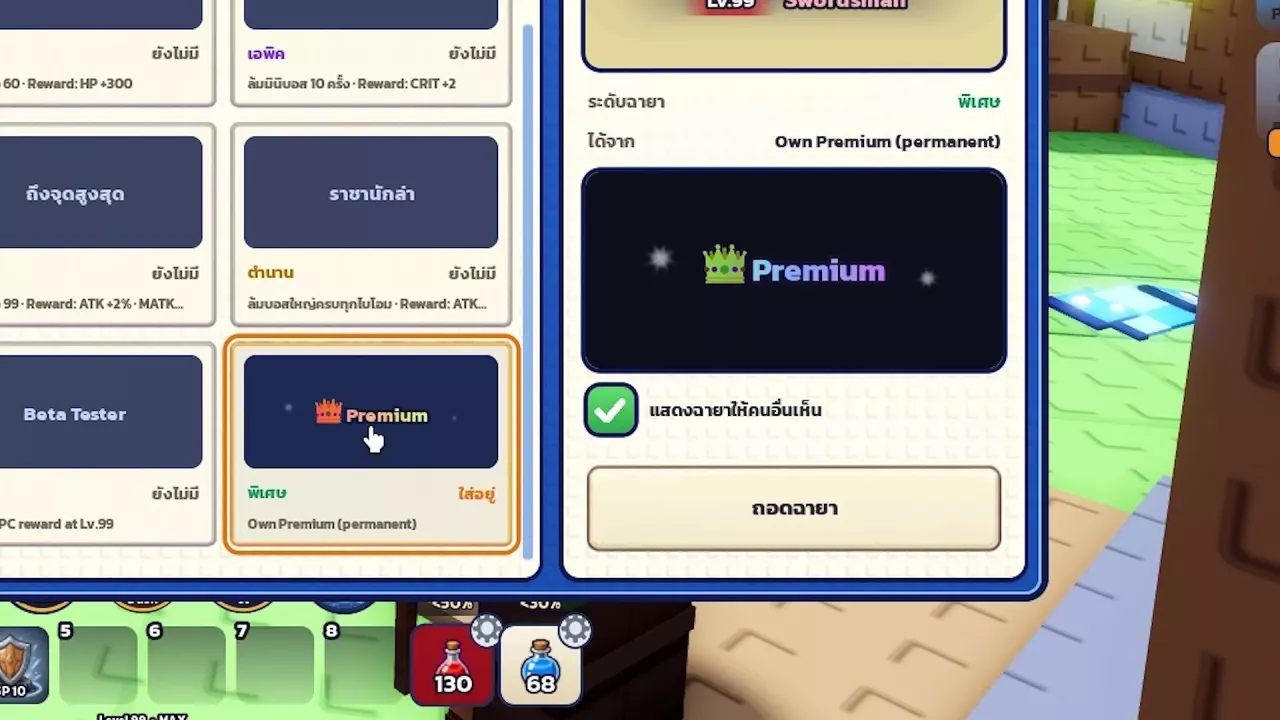
For Premium, open the shop icon on the right and select the Premium category. Its title includes a crown and colored text. The Supporter Title Game Pass grants Supporter, but its Roblox listing is not for sale. Compare the associated benefits on the game passes and Premium page.
-
Beta Tester
- Rarity
- Special
- Required Level
- 99 level (During Beta)
- Availability
- Beta only (Unlock period)
- Claim Method
- Claim through the Event NPC after reaching Lv.99. (During Beta)
- Retained at Launch
- Yes (Earned during Beta)
-
Companion
- Rarity
- Rare
- Unlock Activity
- Defeat small bosses or bosses in a party.
- Required Defeats
- 10 boss defeats (Small bosses or bosses defeated in a party)
-
Pioneer
- Rarity
- Special
- Unlock Condition
- Enter the game during the opening period.
- HP Reward
- 50 HP (Opening-period title reward)
-
Permanent Premium
- Title Benefit
- Unlocks the special Premium title with a crown and colored text. (Own Premium (permanent))
- Duration
- Permanent
-
Supporter Title
- Benefit
- Grants the Supporter title and supports the game's development.
- For Sale
- No (Roblox listing status)
Filter and Equip Titles
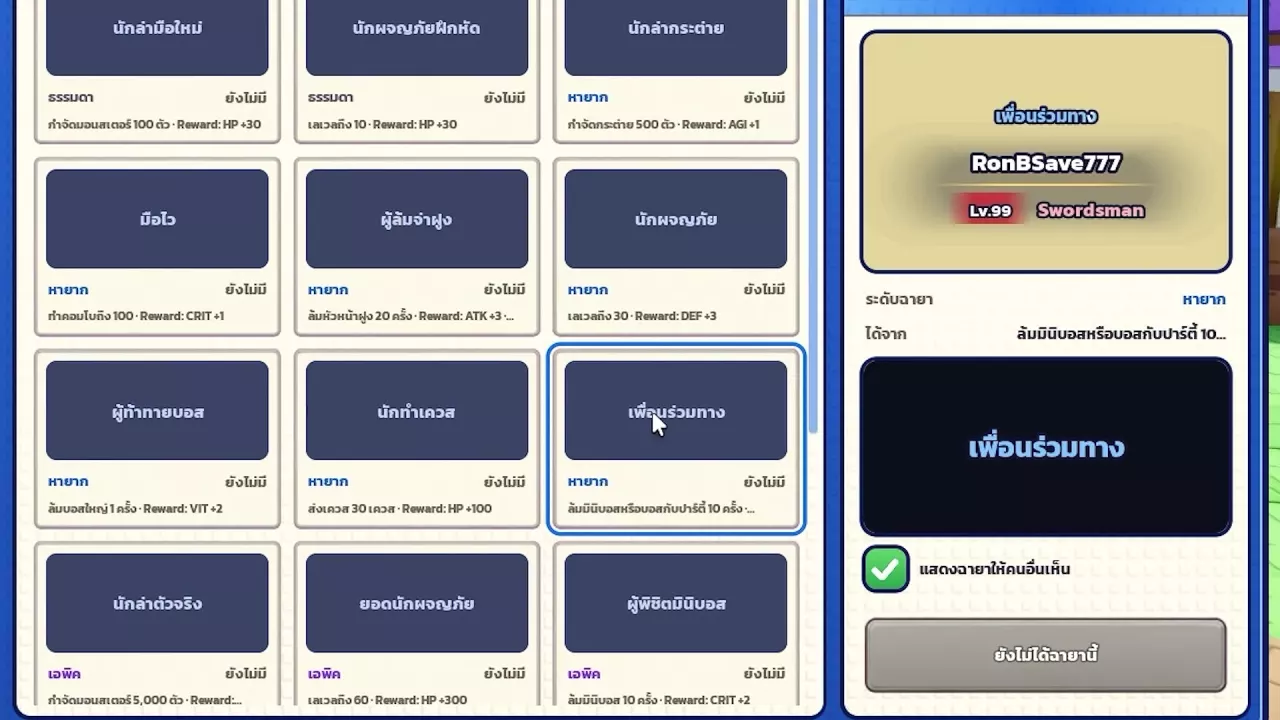
- Open the Adventure Book and select Titles (ฉายา).
- Choose All to browse every entry, Owned to find unlocked titles, or Unowned to look for a new goal.
- Select a title card. The details panel displays its rarity, unlock requirement, and a preview of how it appears above your character.
- Select an unlocked title and use its equip control to display it.
When claiming an achievement that grants a title, you can also use claim-and-equip to claim the reward and equip the title in one action. For achievement objectives, stat rewards, and claiming instructions, see achievements and stat rewards.
Remove or Hide Your Title
- Remove your equipped title: Open Adventure Book → Titles, select the equipped title, and press its unequip button. This removes the title from your overhead display.
- Hide your title from other players: Turn off the title visibility checkbox in the title details panel. Turn it back on when you want other players to see your equipped title again.